

Remote Deposit Capture via Urban FT
With Remote Deposit Capture via Urban FT, your account holders can deposit physical checks through a mobile app, tablet, or other interface you provide. Account holders take a photo of the front and back of a check, upload it to your application, and the funds become available in their account.
You must work directly with Urban FT to enable this remote deposit capture (RDC) solution, including the front-end SDK integration. Urban FT in turn integrates with SoFi Tech Solutions by calling the Program API to post and adjust funds in customer accounts.
Refer to Urban FT's website for details about this capability, and contact their support to integrate it with your system.
Key Benefits for You
- Efficiency and scalability — Process checks easily and securely from images of checks users upload to your system.
- Flexible end user experience — Manage user authorization, authentication, and account selection on your own terms.
- Returns processing — Process returns seamlessly to support multiple user experience pathways.
- Compliance — Remain compliant by securely storing check images.
Key Benefits for Your Account Holders
- Easier deposits — Account holders can deposit a check wherever they are, using your existing application.
- Increased security — High-quality check images and secure image storing ensure proper handling of deposits and prevents fraud.
How It Works
This is a high-level overview of the workflow that integrates the Urban FT SDK used in your application with endpoints from SoFi Tech Solutions. For more details, refer to the flowcharts in Setting Up Remote Deposit Capture via Urban FT.
- You initiate the SDK — The workflow begins in your application when your account holder chooses to deposit a check, and your application calls Urban FT's Check Capture API.
- The account holder enters information and takes photos of the check — In your application, the account holder captures images of the front and back of the check.
- Urban FT processes the check image — Urban FT confirms the image is captured correctly and meets predefined business rules.
- SoFi Tech Solutions applies a payment — Urban FT calls SoFi Tech Solutions endpoints to create a payment and apply it to the account once the hold days expire.
- The account holder receives a notification — You send the account holder an email that the deposit was posted.
Account holder experience
Urban FT's SDK offers flexible integration options. When an account holder wants to deposit a check remotely, their experience can be as simple as this:
-
Navigate to your app or web interface.
-
Select the option to deposit a physical check.
-
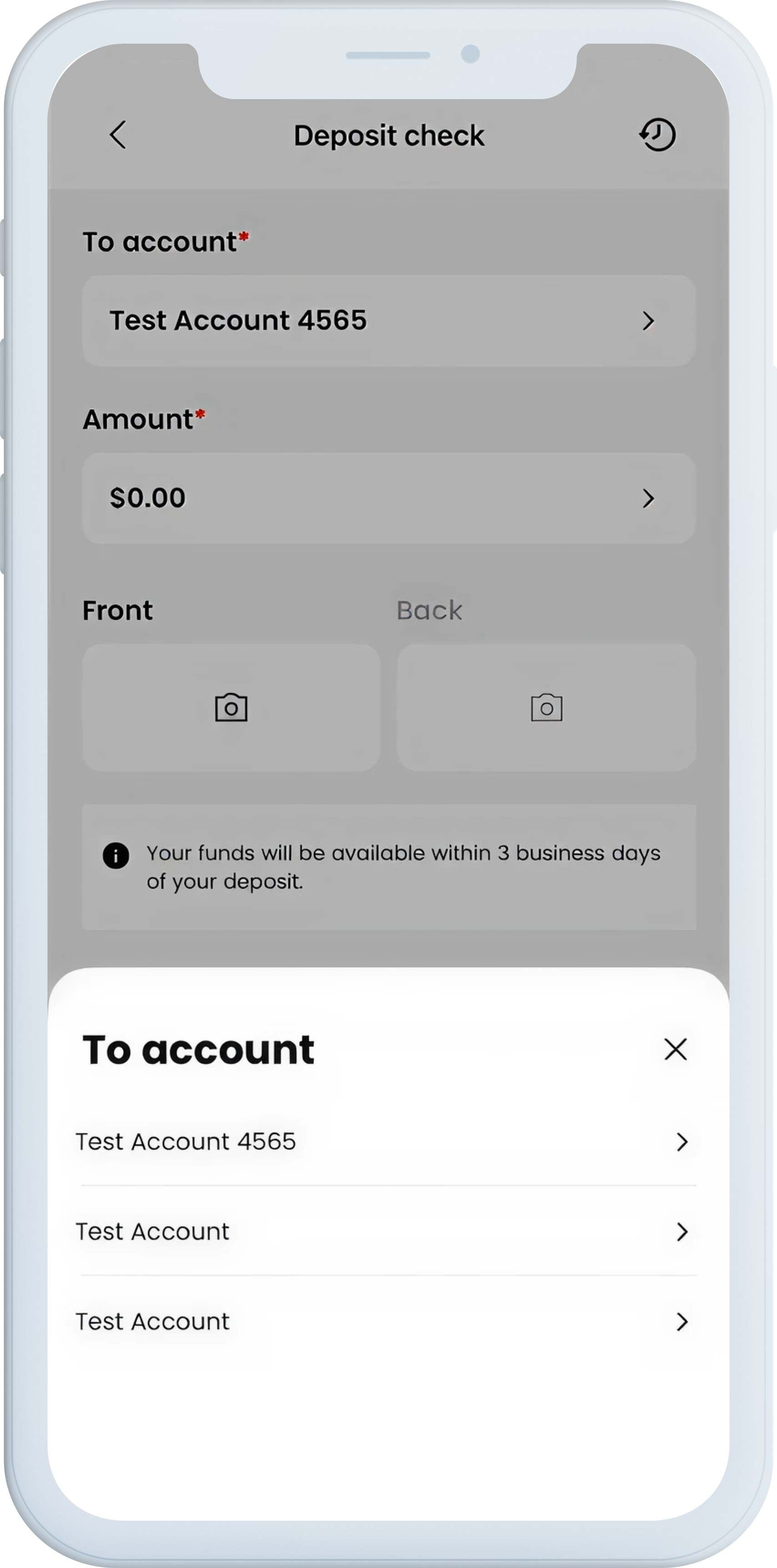
Select the account where they want to deposit the check.
-
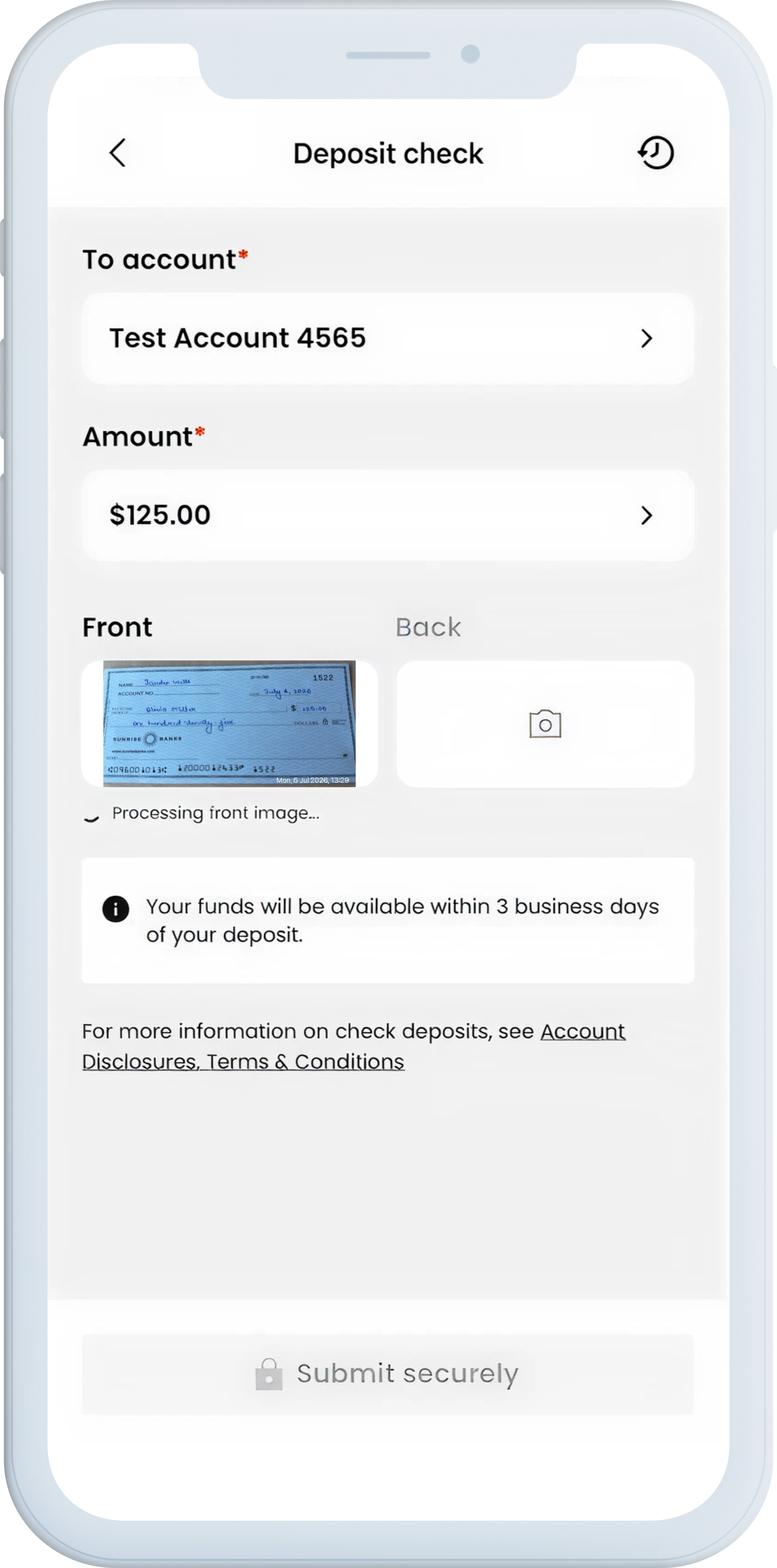
Capture and confirm an image of the front of their check via your secure interface.
-
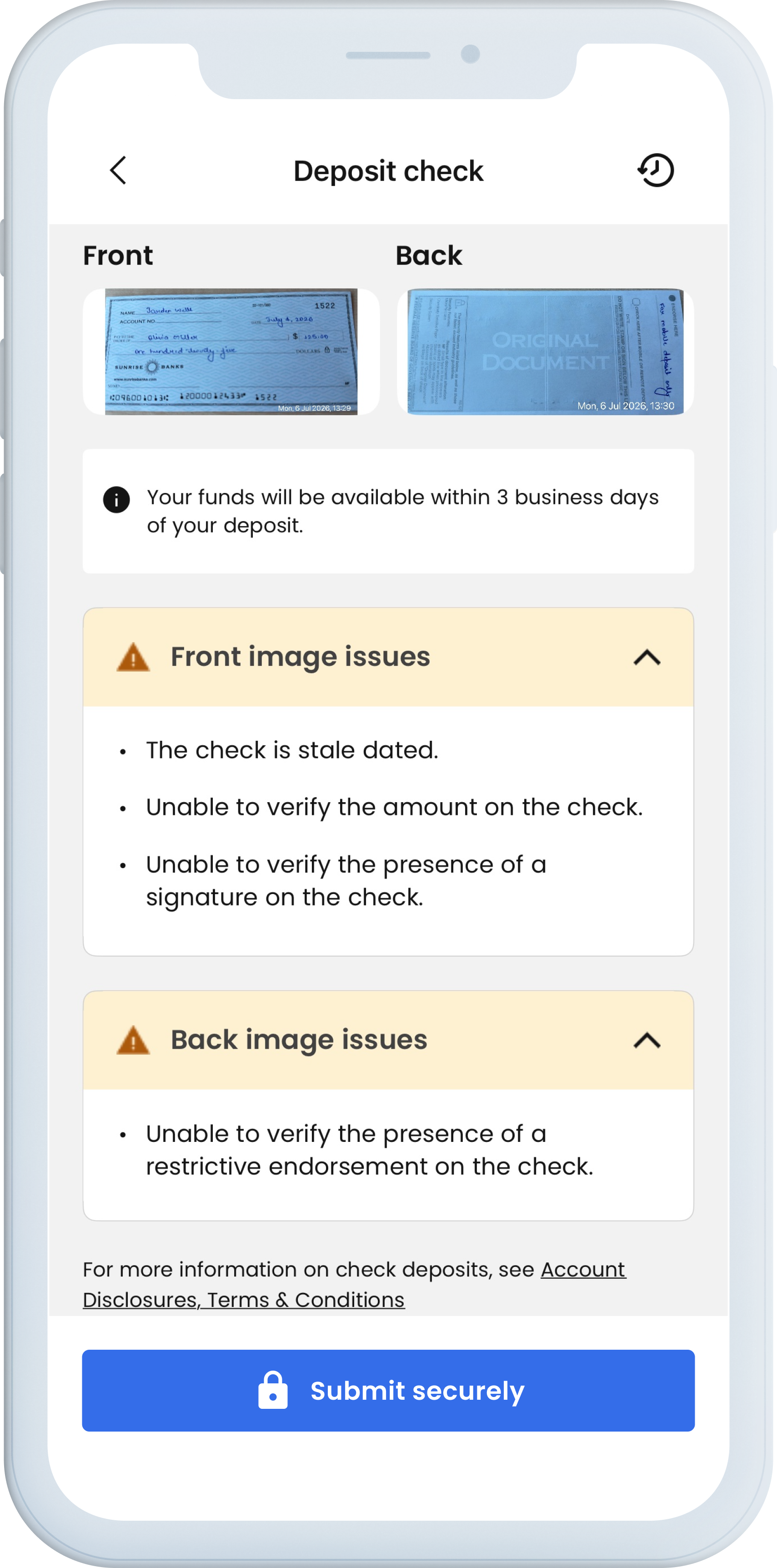
Repeat the process to take an image of the back of the check.
-
Re-take one or both images of the check to resolve any issues your app flags.
-
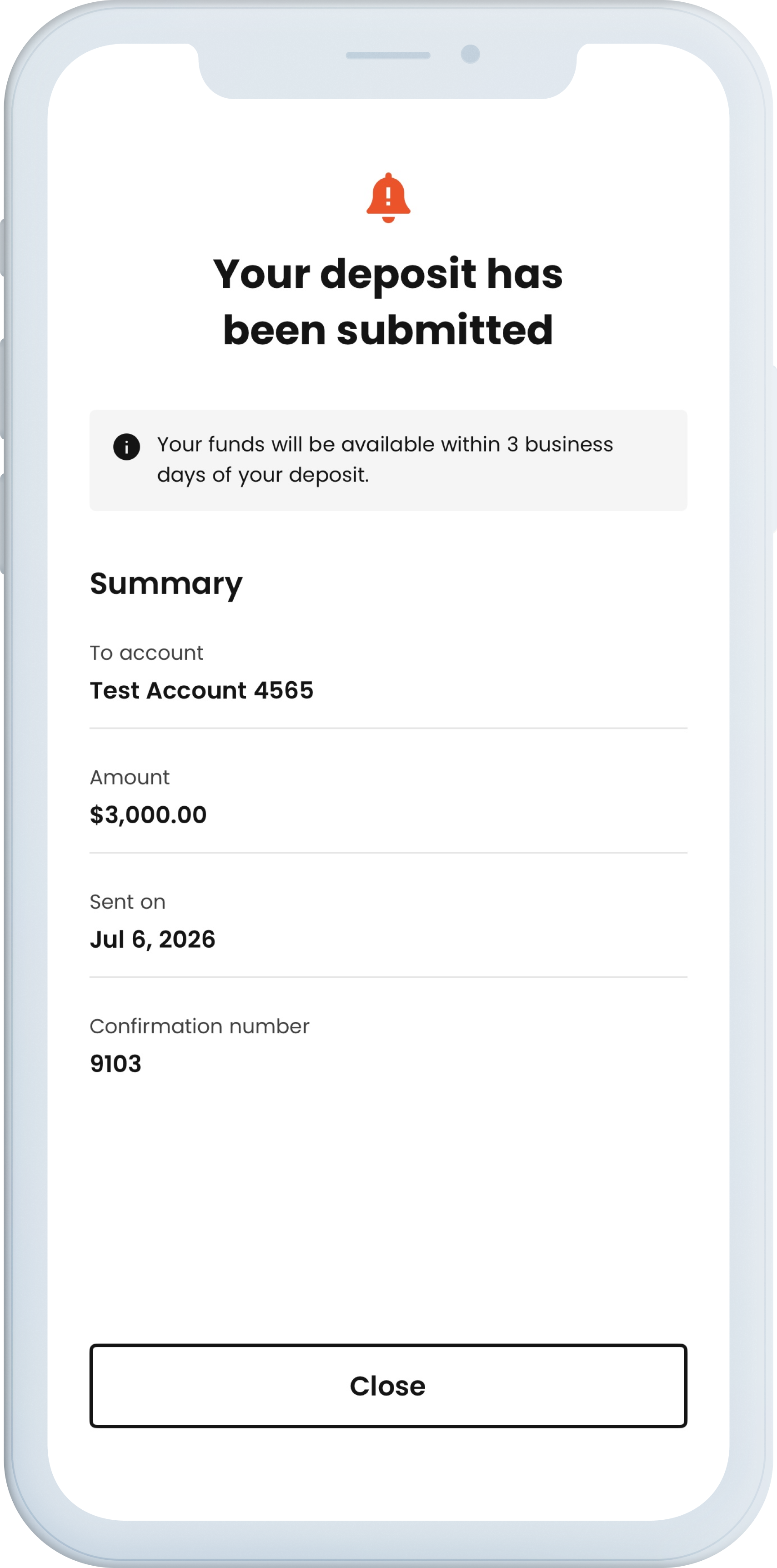
Receive a confirmation in your app that the check is successfully processed.
-
Receive funds from the check after the hold days expire.
Implementation
To enable RDC via Urban FT, you are responsible for integrating with Urban FT through its SDK.
For detailed, step-by-step instructions on implementing this product, see the Setting Up Remote Deposit Capture via Urban FT guide.
Updated about 5 hours ago