

Account Linking via Microdeposits
With Account Linking via Microdeposits, your account holders have a straightforward way to link their external bank accounts to their accounts in your program. While SoFi Tech Solutions also offers Account Linking via Mastercard Data Connect (MDC) or Plaid, those methods might not be a viable option depending on external bank participation, your program configuration, or account holder preference. In these cases, or as a fallback option, you can verify an external account using microdeposits, which are small deposits of <1 USD into the external account, requiring account holders to verify this amount in order to link their external account.
Key benefits for you
- Ease of implementation — Account Linking via Microdeposits provides a simpler implementation than other account-linking options and does not rely on the Mastercard SDK.
- Wider bank compatibility — A small percentage of U.S. banks are incompatible with Account Linking via Mastercard Data Connect, Plaid, and other data aggregators. Account Linking via Microdeposits can help ensure full coverage for your external account-linking functionality.
- Reduce fraud risk — Authenticating with microdeposits ensures that the person linking an account is the authorized owner of that account.
- Fewer ACH returns — Reduce the number of returns from incorrect account information and fraud by using robust account-ownership verification.
- Maintain compliance — Adhere to Nacha's WEB debit guidelines.
Key benefits for your account holders
- Basic account-linking functionality — This industry-standard way to link bank accounts enables the ease of transferring funds that account holders expect, even in cases where the external account institution is incompatible with Mastercard Data Connect or Plaid.
- Keeps credentials separate — Some users may prefer not to link external accounts using their external account credentials. Account Linking via Microdeposits can instill trust for account holders who don't wish to share credentials with your program.
What SoFi Tech Solutions provides
From SoFi Tech Solutions, you can expect the following for microdeposits:
- Endpoints to manage microdeposits.
- Backend orchestration of the 2 microdeposits and the 1 offsetting debit
- Help setting up a global account with your sponsor bank to enable this money movement
- Real-time notifications of transaction events and statuses via the Events API.
- Reporting and reconciliation can be done using your existing ACH and Same-Day ACH RDFs.
What you provide
To implement this feature, you are responsible for the following:
-
User experience — Apply your own logic to integrate this feature into your overall user experience.
-
Product configuration — SoFi Tech Solutions helps you configure your program in cooperation with sponsor banks during initial setup.
-
Notification logic — Determine the methods for providing account holder notifications (email, SMS, or push). Your system must consume events from the Events API to trigger these notifications.
This includes indicating whether you want SoFi Tech Solutions to orchestrate Microdeposits via ACH or via Same-Day ACH. Refer to Setting Up Account Linking via Microdeposits for details.
-
Validation window — Determine how many days an end user has to validate the amounts of the microdeposits.
How it works
This is a high-level overview of the workflow. For more details, refer to the flowchart in Setting Up Account Linking via Microdeposits.
-
Account link request — The account holder requests to link their account and enters their external account and routing number. You call a SoFi Tech Solutions endpoint to send a microdeposit to that external account.
If you are currently using SoFi Tech Solutions for ACH, you will need to work with SoFi Tech Solutions to have your system call the new account-linking endpoints instead of existing ACH endpoints.
-
Microdeposit verification — The account holder logs into their external account and views the amount of the microdeposit. If you select Standard ACH, microdeposits can take up to 3 business days to appear in the account. If you select Same-Day ACH, microdeposits will appear in the account according to Same-Day ACH processing windows. The account holder then enters this information in your program.
-
Account ownership verification — SoFi Tech Solutions uses an endpoint to verify that the amounts entered by the account holder match the amount of the microdeposits in the external account.
-
Status update via webhook — SoFi Tech Solutions sends you an account event to confirm that the verification status is either ACTIVE, PENDING, or FAILED.
-
After successfully linking an account, your account holder can initiate funds transfer using whatever rail you submitted with the API call.
Account holder experience
When your account holders want to link their external accounts from your app, their experience can be as simple as this:
- Navigate to your app or web interface.
- Select the option to connect a bank account.
- Enter the account and routing numbers for the external bank account they want to link.
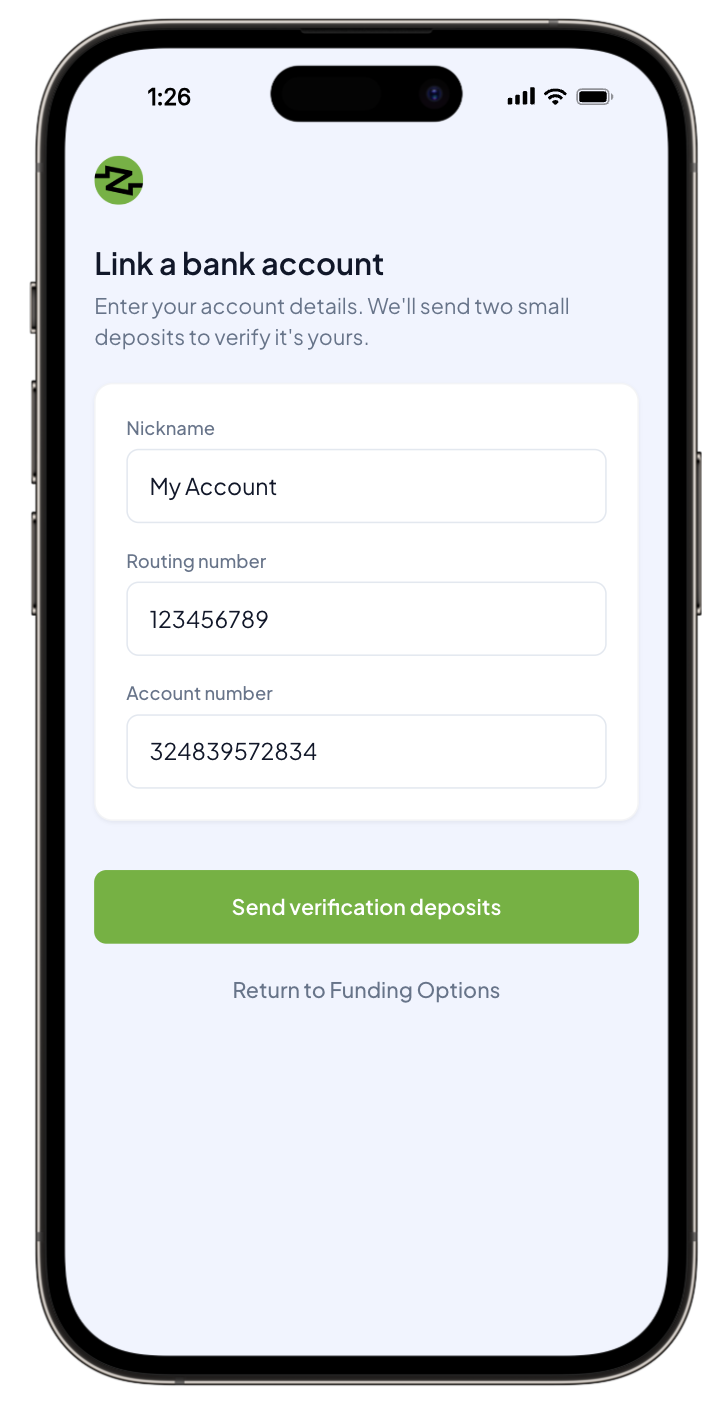
- Wait to see the microdeposits appear in the external bank account. This can take up to 3 business days with Standard ACH. Microdeposits via Same-Day ACH appear in the account according to Same-Day ACH processing windows.
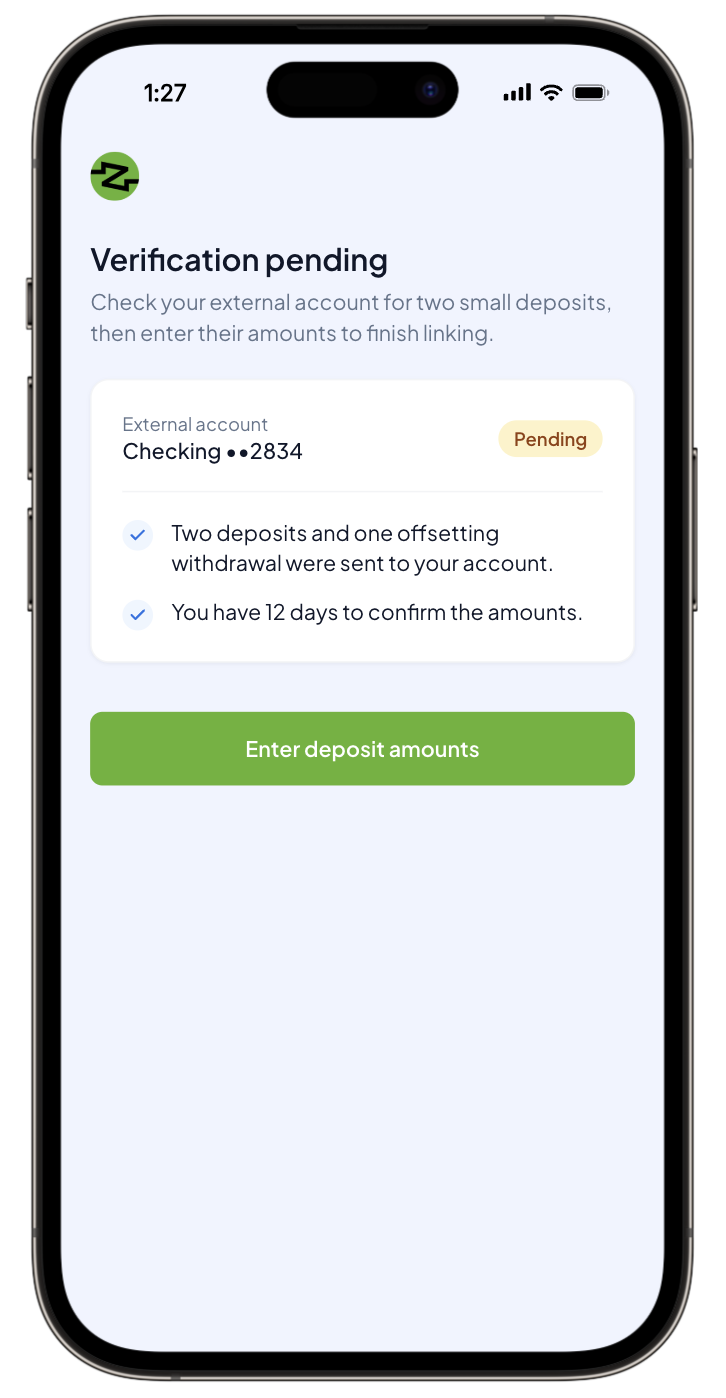
- Back in your app, enter the amounts that were deposited into the external bank account.
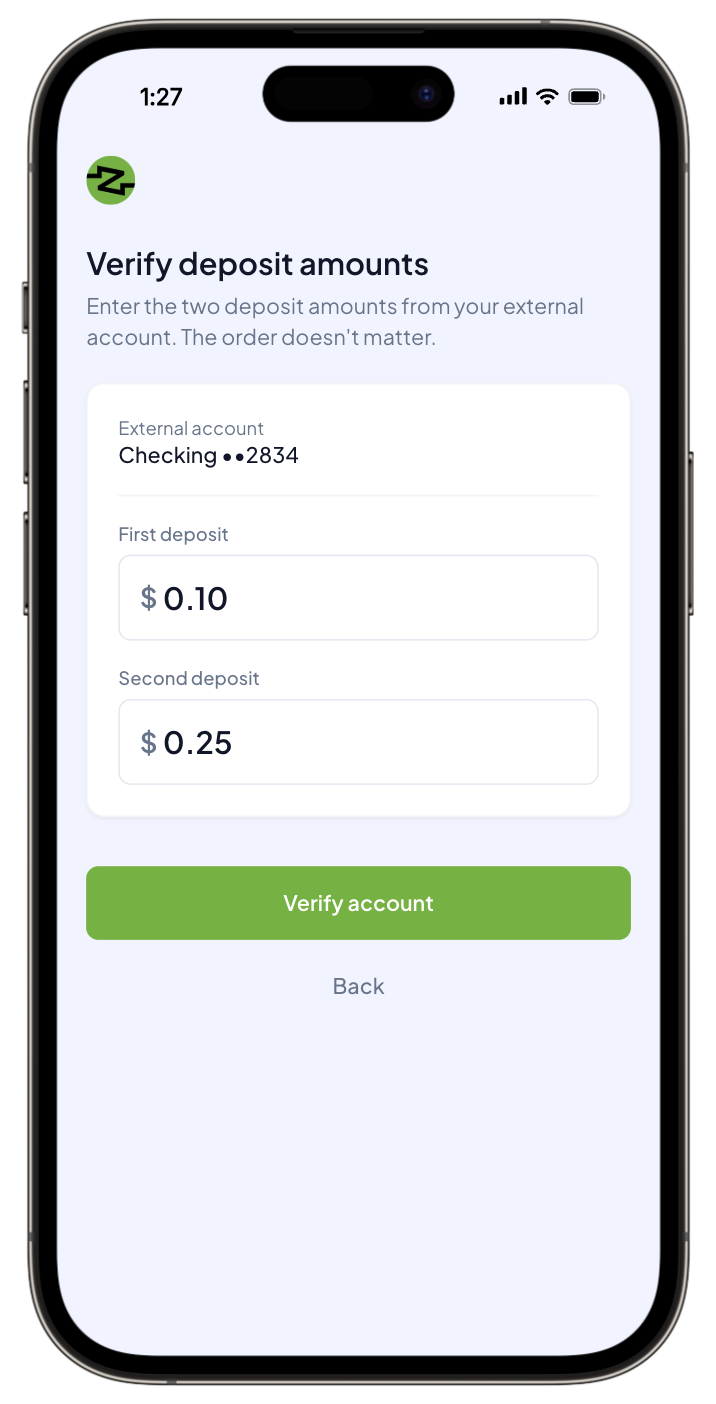
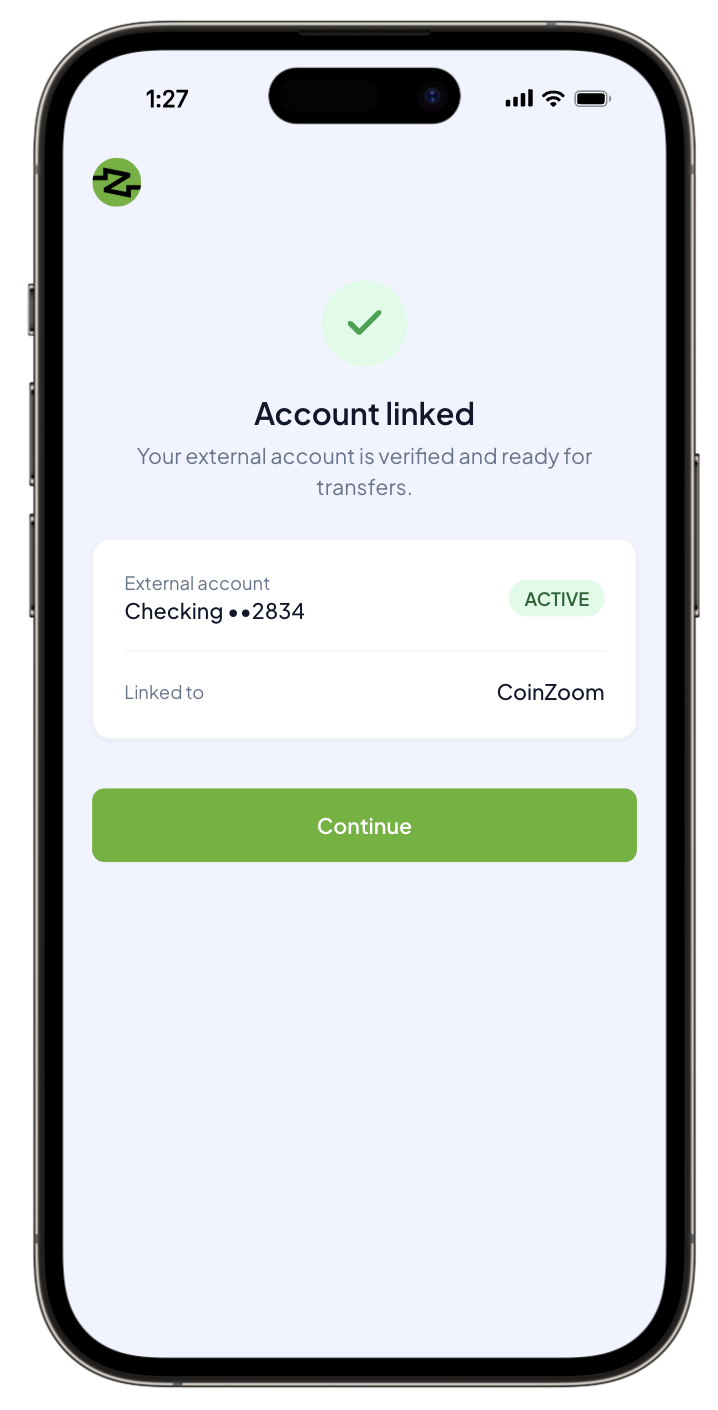
- Receive a confirmation in your app that the account is successfully linked.
Use case: Alternative to Mastercard Data Connect
Sarah, a new customer of Bank A (powered by SoFi Tech Solutions), wants to link her main checking account at Bank B. She first tries the quick, modern way, using the Mastercard Data Connect option provided by Bank A. However, a frustrating message pops up: Bank B wasn't on the list of supported institutions. Refusing to give up, Sarah navigates to the alternative option: manual verification using microdeposits.
Once she submits her Bank B routing and account numbers, Bank A initiates the process using the SoFi Tech Solutions Microdeposits product. This involves sending two distinct, tiny entries—one for, say, $0.30, and another for $0.15—into her Bank B account. Sarah checks her Bank B transactions. She makes a note of the two entry amounts.
Returning to Bank A’s app, she enters the two numbers exactly as they appear in her external statement. The system instantly validates the amounts, confirming that Sarah has access to Bank B. With this proof of access, Bank A securely completes the account linking, finally allowing Sarah to move money freely.
Implementation
To enable Account Linking via Microdeposits, SoFi Tech Solutions performs the required back-end setup to configure your program.
For detailed, step-by-step instructions on implementing this product, see Setting Up Account Linking via Microdeposits.
Updated about 1 hour ago